Leaving Alfred: Teaching Spotlight to Spell
I’ve been a paying Alfred user since 2016, and I can’t even remember how long ago I downloaded the free version. Back then, it felt like a cornerstone of using macOS productively. It had our backs when Spotlight was merely a tiny little system search in the top right of our screens. It was a better automator than Automator. Every other top-tier app provided an integration (Things being a staple for me). It was brilliant.
But… Apple has been catching up: Shortcuts support, App Actions, a clipboard log and more. And thus, earlier this year, I finally said goodbye to Alfred; Spotlight was good enough. The feature that won me over: natively searching the current app’s menu commands. Apple’s solution isn’t quite as nice as the Alfred workflow I was previously using (Spotlight has too much clutter in its results), but it did the job. I sent Alfred out with AppZapper (another old friend); it was only fitting.
The catch
As I was busy porting my few remaining custom workflows to Apple’s Shortcuts (which I do prefer thanks to the continuity with iOS), I realised I had made a big mistake. An incredibly basic piece of functionality, but one crucial to my workflow, is still missing from Spotlight: an alternative to Alfred’s ‘spell’ keyword. This keyword activates a dynamic spell checker directly within Alfred’s search bar, using the list of suggestions to display possible correct spellings - very similar to those old pocket digital spell checkers. Selecting a suggestion copies it to your clipboard.
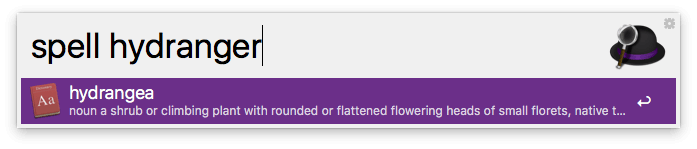
macOS does provide some alternatives outside of Spotlight. For example, you can set up a shortcut to display corrections for your current word within most text areas. None of these options would satisfy me though; mainly, they weren’t usable in every possible use case. Non-standard text inputs wouldn’t always play nice (the Kitty terminal emulator had issues for me, although that may have been fixed since; Apple’s emoji picker even works with it now), and sometimes, I just wanted to use it to look up a spelling unrelated to the app I was currently working with. As well as that flaw, over the years, I’ve built up a ton of muscle memory for Alfred’s keyword - which I wasn’t willing to give up.
Could we build one?
Another Alfred keyword is ‘define’ - used to search for dictionary definitions rather than spelling corrections. Miraculously, Spotlight does have an answer to this one: an integration with the Dictionary app.
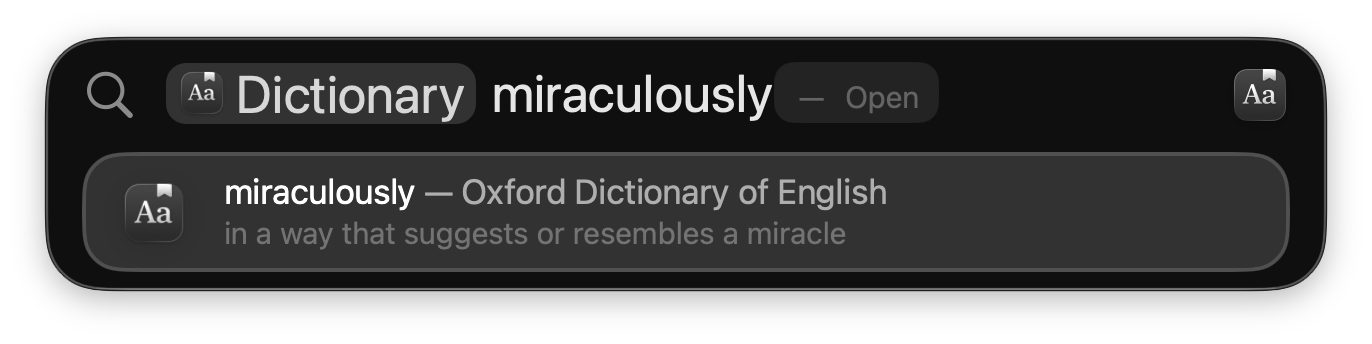
So! There’s hope. Apple has surely provided the API we’ll need to build an alternative to Alfred’s ‘spell’… right? Well, sort of. Unfortunately, all the API for integrating with Spotlight is entirely dedicated to two very specific use cases: exposing documents/entities in your app for search, or providing some stand-alone commands that can be sent to your app.
We could have a command which, when issued along with a bad spelling as its argument, would spin up a dedicated window listing possible corrections (likely the Apple-endorsed option). I reckon that would be a worse UX than Alfred though; I want the list of correct spellings to appear directly, and immediately, within Spotlight. The list of correct spellings should also update dynamically as you change your query; if we added that to a bespoke spell-checking window, then we might as well ditch Spotlight altogether, and just have a little stand-alone app.
I decided to see how far I could get bodging it with the search APIs.
App Actions
With the Dictionary integration, once you select a word, Spotlight just opens the Dictionary app, passing it the word - similar to what you can achieve with CoreSpotlight. I don’t want to open an app though, I just want to add the correct spelling to my clipboard. Luckily, Tahoe has a good option: ‘App Actions’. Essentially, App Intents (potentially silent ‘commands’ for your app which you’ve provided to Shortcuts etc) are now exposed to Spotlight. What’s more, we can dynamically suggest our app’s content to fill parameters - similar to the bespoke Spotlight search APIs. Sounds promising!
First, we need to define our spelling type (so that we can suggest correct spellings to fill our App Intent’s param) - a String wrapped with the ceremony required of the API:
struct Spelling: AppEntity {
  static let defaultQuery = <#TBD#>
  static let typeDisplayRepresentation: TypeDisplayRepresentation = "Spelling"

  let word: String
  var id: String { word }
  var displayRepresentation: DisplayRepresentation {
    .init(title: "\(word)")
  }

  init(_ word: String) {
    self.word = word
  }
}
Next, we need a query to actually expose the spellings to Spotlight. We use EntityStringQuery rather than just EntityQuery to enable filtering suggestions by the user’s current query.
struct SpellingQuery: EntityStringQuery {
  func entities(matching string: String) async throws -> [Spelling] {
    let checker = NSSpellChecker.shared
    let guesses = checker.guesses(
      forWordRange: NSRange(location: 0, length: string.utf16.count),
      in: string,
      language: checker.language(),
      inSpellDocumentWithTag: 0
    ) ?? []
    return guesses.prefix(8).map { word in
      Spelling(word)
    }
  }

  func entities(for identifiers: [String]) async throws -> [Spelling] {
    identifiers.map(Spelling.init)
  }
}
This is where the actual spell checking happens. The user’s query is passed to entities(matching:) by Spotlight in order to acquire completions for the parameter; we chuck it into NSSpellChecker, and convert the results into our Spelling entity.
To tie it all together, we then define the Intent itself:
struct SpellIntent: AppIntent {
  static var title: LocalizedStringResource { "Spell it!" }
  static var parameterSummary: some ParameterSummary {
    Summary("Spell \(\.$spelling)")
  }

  @Parameter var spelling: Spelling

  func perform() async throws -> some IntentResult {
    let pasteboard = NSPasteboard.general
    pasteboard.clearContents()
    pasteboard.setString(spelling.word, forType: .string)
    return .result()
  }
}
Once the user selects their spelling, it’s set on the Intent, perform runs, and the spelling is added to the clipboard 🎉. Job done?
The rough edges
First, the most obvious one. If your query is already correct, it’s not going to appear in the list! This one is easy to solve; we can just explicitly test for that outside of grabbing our corrections.
func entities(matching string: String) async throws -> [Spelling] {
  let checker = NSSpellChecker.shared
  var guesses = [String]()
  if checker.checkSpelling(of: string, startingAt: 0).location == NSNotFound {
    guesses.append(string)
  }
  checker.guesses(
    forWordRange: NSRange(location: 0, length: string.utf16.count),
    in: string,
    language: checker.language(),
    inSpellDocumentWithTag: 0
  )?.forEach { guesses.append($0) }
  return guesses.prefix(8).map { word in
    Spelling(word)
  }
}
The next issue I ran into seems to have been fixed by Apple as of macOS 26.6.2… but I’m still going to talk about it, as it was probably the most interesting (and most hacky) part of the project. The solution also nicely demonstrates one gnarly edge to the API.
The corrections suck
I asked Claude why; it was certain that Alfred’s spelling corrections are simply superior to NSSpellChecker. Luckily, my meat brain is still in decent working order, so I had a go at the problem instead. I noticed that the displayed corrections almost always contain the exact query within them: Apple is applying their own text-based filtering on top of ours. For example, a query of ‘becaus’ would display a correction of ‘because’, but ‘becoz’ wouldn’t. This was a big problem: what sort of spell checker only provides corrections that are just longer versions of the misspelling?! It’s a compromise, but by including the misspelling at the beginning of each suggestion’s label, the corrections would survive Apple’s filtering.
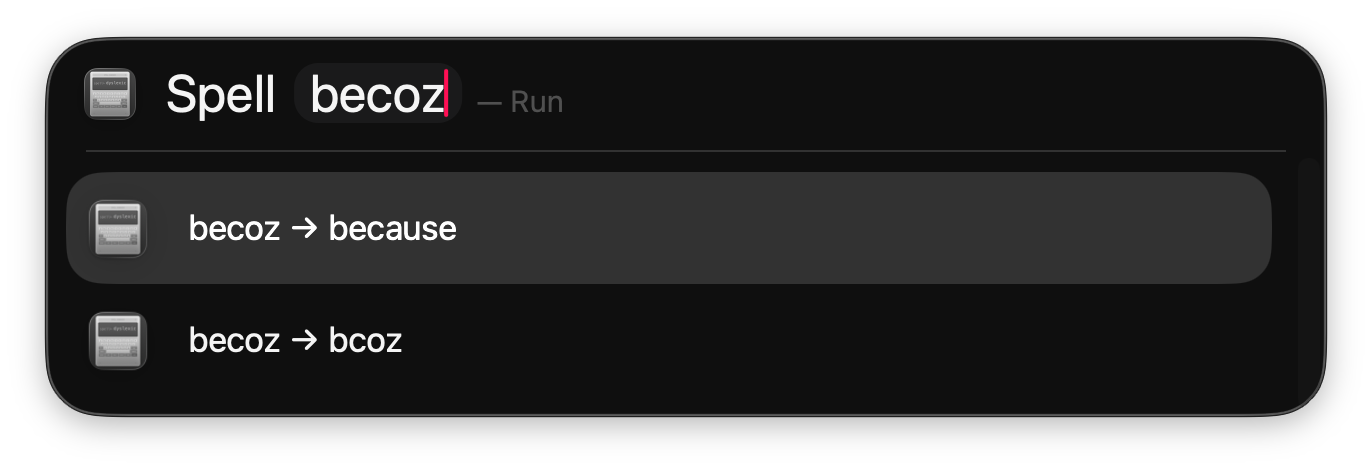
Accomplishing this was fiddly. I glossed over it before, but when implementing our EntityQuery, we needed to implement entities(for:) - a method which takes identifiers and returns the entities for those identifiers. Previously, we were happily using String as our identifier type - the identifier is just the correct spelling - but now, our entities have one additional field: the misspelling. We can define our own identifier type, but this identifier has to be convertible to and from a string; any use case that involves dynamically creating entities, rather than just querying a database of previously created ones (like user documents), is going to run into this prickly part of the API. JSON serialisation was fast enough (and the robustness was nice to have as I added more complexity later), but joining the strings with some unique delimiter would have been fine too.
struct Spelling: AppEntity, EntityIdentifierConvertible, Hashable, Codable {
  static let defaultQuery = SpellingQuery()
  static let typeDisplayRepresentation: TypeDisplayRepresentation = "Spelling"
  let misspelling: String
  let correction: String

  var displayRepresentation: DisplayRepresentation {
    // Important! Apple applies their own text filtering too: we need to ensure the misspelling is displayed.
    .init(title: "\(misspelling) → \(correction)")
  }

  var id: Self {
    self
  }

  // MARK: EntityIdentifierConvertible

  static let decoder = JSONDecoder()
  static let encoder: JSONEncoder = {
    let encoder = JSONEncoder()
    encoder.outputFormatting = [.sortedKeys]
    return encoder
  }()

  static func entityIdentifier(for entityIdentifierString: String) -> Self? {
    try? decoder.decode(Self.self, from: Data(entityIdentifierString.utf8))
  }

  var entityIdentifierString: String {
    let data = try! Self.encoder.encode(self)
    return String(decoding: data, as: UTF8.self)
  }
}
No results
If you hit enter while there are no suggestions available, the UX is pretty weird. We’re shown an alert with the text ‘Spelling’ (our typeDisplayRepresentation), and a cancel button. Not the end of the world (I’m only making this for personal use after all), but it’s a pretty ugly experience.
The first thing I tried was setting up a custom Resolver to convert any string arguments into our own entity (we’d then be able to handle having no results gracefully), but unfortunately, it seems that resolvers are bypassed entirely when calling App Intents for Spotlight (unless Apple has fixed that now too 🤞).
Instead, I updated our entities(matching:) method to return a special ‘no results’ version of our entity when we couldn’t find any corrections.
struct SpellingQuery: EntityStringQuery {
  func entities(matching string: String) async throws -> [SpellingChoice] {
    // ...
    let results = guesses.prefix(8).map { word in
      SpellingChoice(misspelling: string, resolution: .correction(word))
    }
    return results.isEmpty
      ? [.init(misspelling: string, resolution: .noResults)]
      : results
  }

  // ...
}
Updated our entity to house this new state (I also renamed it to SpellingChoice).
struct SpellingChoice: AppEntity, EntityIdentifierConvertible, Hashable, Codable {
  enum Resolution: Codable, Hashable {
    case correction(String)
    case noResults
  }

  // ...

  let misspelling: String
  let resolution: Resolution

  var displayRepresentation: DisplayRepresentation {
    switch resolution {
    case .correction(let correction):
      .init(title: "\(misspelling) → \(correction)")
    case .noResults:
      .init(title: "No results for \(misspelling)")
    }
  }

  // ...
}
And finally, I could just silently complete when noResults was chosen.
struct SpellIntent: AppIntent {
  // ...

  func perform() async throws -> some IntentResult {
    if case .correction(let correction) = choice.resolution {
      let pasteboard = NSPasteboard.general
      pasteboard.clearContents()
      pasteboard.setString(correction, forType: .string)
    }
    return .result()
  }
}
Works great. I’ve not been able to reach that empty alert window since, and the bespoke ‘No results’ label feels like a nice bonus too. However, given that entities(matching:) is async, maybe there could be a very unlikely race where the code path causing the empty alert is still reachable - probably something to think about if you were considering this same approach for anything more serious.
Some polish
At this point, the action works well (well enough that I wouldn’t be reinstalling Alfred). Fighting through the API’s bugs and lacking documentation had led to the project taking longer than I expected though; sunk cost fallacy sank in, and I decided to spend some time adding some bells and whistles.
I added dictionary definitions as subtitles for each choice (matching Alfred).
func define(_ word: String) -> String? {
  let nsWord = word as NSString
  let range = CFRangeMake(0, nsWord.length)
  let definition = DCSCopyTextDefinition(nil, nsWord, range)
  return definition?.takeRetainedValue() as String?
}


struct SpellingChoice: AppEntity, EntityIdentifierConvertible, Hashable, Codable {
  // ...

  var displayRepresentation: DisplayRepresentation {
    switch resolution {
    case .correction(let correction):
      .init(
        title: "\(misspelling) → \(correction)",
        subtitle: define(correction).map { "\($0)" }
      )
    case .noResults:
      .init(title: "No results for \(misspelling)")
    }
  }

  // ...
}
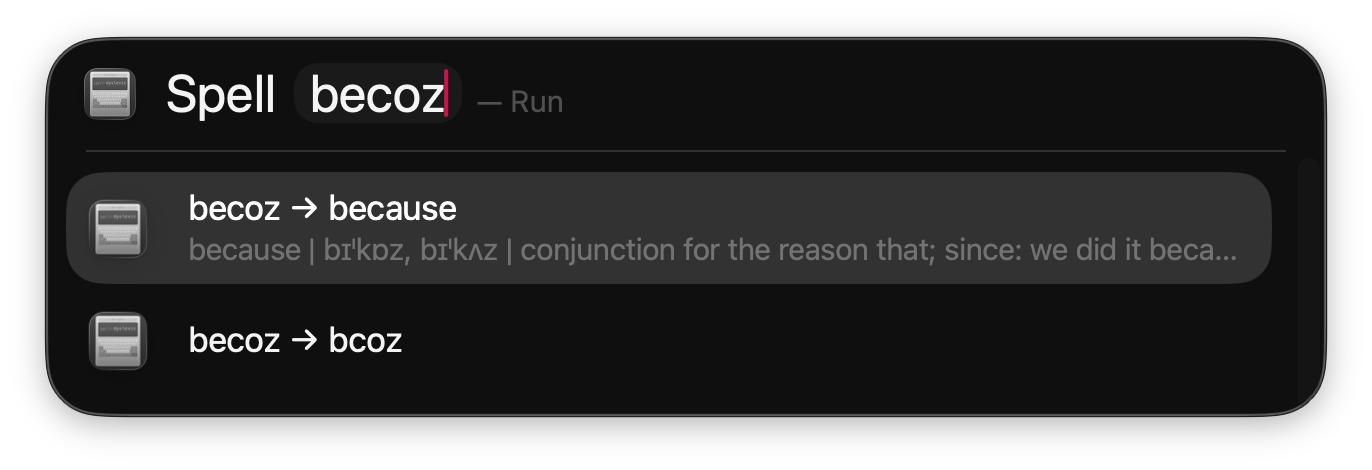
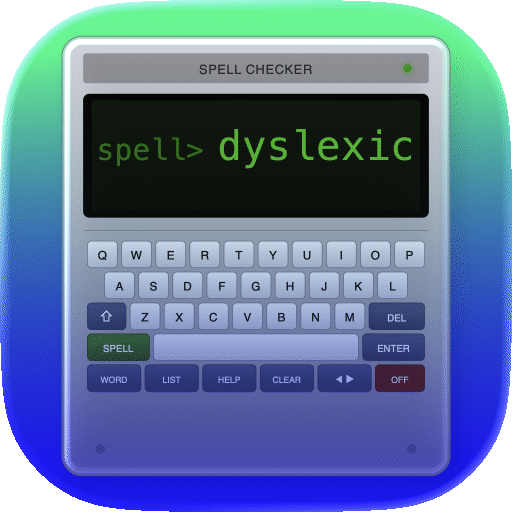
To finish, I also wanted a nice enough app icon (since icons get displayed within Spotlight’s results). Claude is surprisingly good at vector graphics (apparently better than it is at debugging the App Intents API 😅); I had it sort out a nice vector drawing of a pocket spell checker, which I then cleaned up in Affinity Designer and chucked into Icon Composer.
In the end
Expanding Spotlight could be nicer; there’s not enough documentation, and the API is a bit too prescriptive. It looks like Apple is sorting out the bugs though, and of course, it feels great being able to work in Swift!
With the spell checker, since Apple fixed the bug filtering out corrections, I’ve now added a toggle to remove the misspellings from the labels (I actually prefer having them now for some reason!). If you’d find it useful, you can download it here.
Clearly, in 2026, App Intents are a great investment for many apps regardless; Apple is continuing to push them, and they may be crucial to future AI assistants. The number of cool actions you can run from Spotlight will only grow.
Sorry, Alfred.